



UPS for Pharmacies

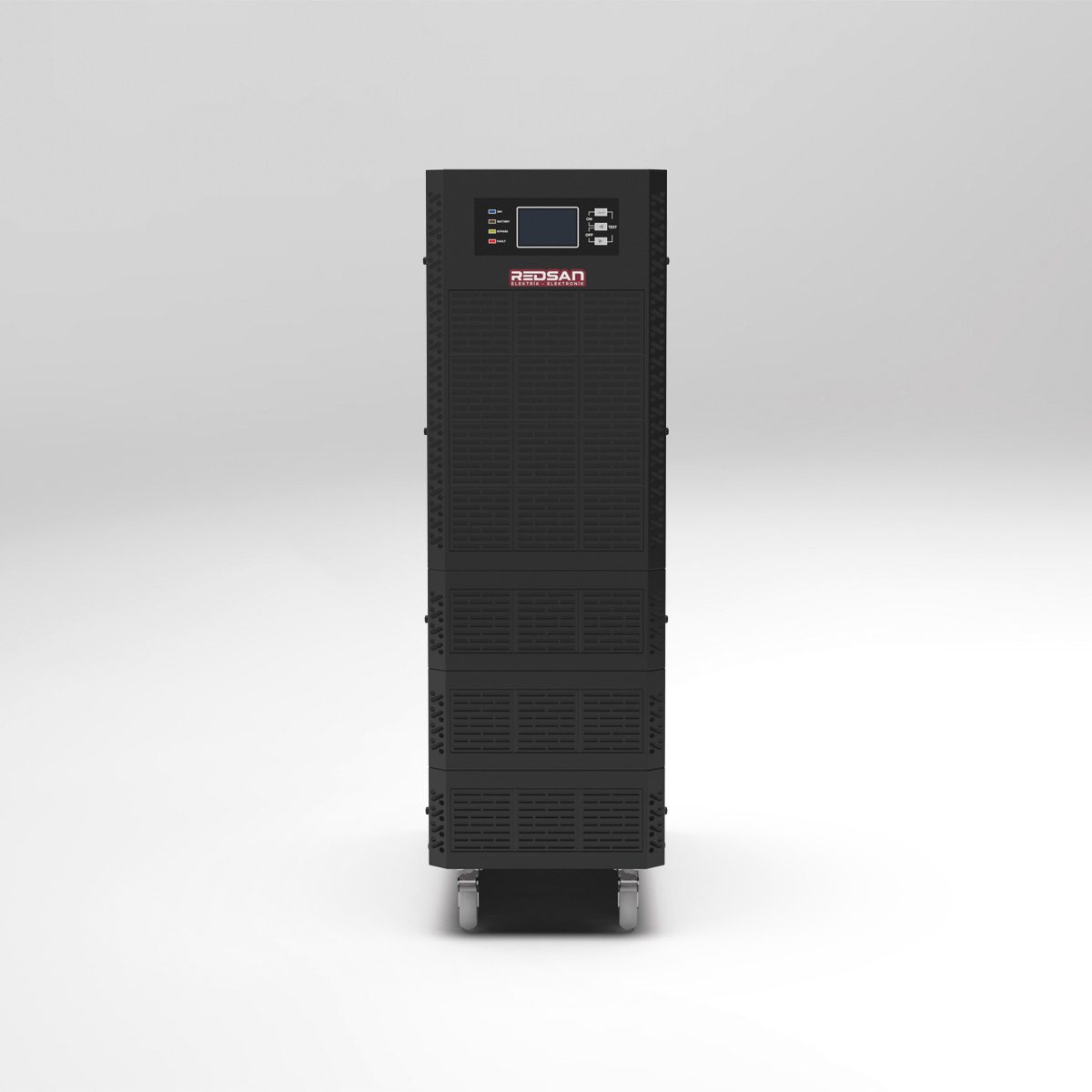
Pharmacies are one of the most important links in the healthcare chain. In these areas where prescriptions are processed, medicines are stored, inventory is tracked, and patients receive direct services, the uninterrupted operation of both digital and physical infrastructure is of great importance. Numerous electronic devices, such as computers, pharmacy automation systems, POS devices, printers, barcode scanners, modems, network devices, and medication refrigerators, must be continuously powered by electricity. At this point, the use of UPS (Uninterruptible Power Supply) for pharmacies becomes not just a convenience, but a mandatory requirement for business continuity and security.
Why Do Pharmacies Have to Use UPS?
When we consider the daily workflow of a pharmacy, it becomes clear just how critical electrical power is. Even a brief outage can cause systems to shut down, interrupt operations, and in some cases, lead to data loss. The main reasons why UPS is essential for pharmacies are as follows:
- Preventing the Automation System from Shutting Down: Prescription entries, drug sales, inventory tracking, and reporting are performed through the pharmacy automation program. If the computer and system suddenly shut down during a power outage, ongoing processes will be interrupted and data integrity may be compromised.
- Protecting Cold Chain Products: Vaccines, certain antibiotics, and heat-sensitive drugs are stored in medicine cabinets or refrigerator systems. In the event of a power outage, the cabinet stops working, and prolonged outages pose a risk of spoilage for the drugs.
- Maintaining Uninterrupted Customer Service: When the POS device, barcode scanner, and printer are not working, sales transactions cannot be completed. This situation both reduces customer satisfaction and causes serious queues during busy hours.
- Ensuring Data and Device Security: Sudden power outages and voltage fluctuations can damage the electronic components of devices such as computers, modems, cash registers, and printers. A UPS filters out these fluctuations, extending the life of your devices.
- Preventing Business Loss: Especially in pharmacies located in central areas, even a brief interruption can result in significant revenue loss. With UPS, the system remains operational, minimizing this loss.
The Most Suitable UPS Type for Pharmacies: Why Online UPS?
Although there are different types of UPS available on the market, the safest and most professional solution for pharmacies is online UPS models. Standby or line-interactive UPSs may be considered for simpler systems; however, due to the sensitivity and critical role of the devices used in pharmacies, the online structure provides higher security.
The main advantages that Online UPS offers for pharmacies are as follows:
- Continuous and Clean Energy: Online UPS converts the energy it receives from the grid first to DC, then back to AC. This ensures that the energy supplied to the system is always at a constant voltage and frequency. Sudden surges or drops in the grid do not affect the system.
- Near-Zero Transfer Time: While conventional UPS systems have a very short transfer time when the power goes out, online UPS systems have a transfer time that is virtually zero. Devices such as pharmacy automation systems, computers, and modems continue to operate without experiencing any interruption.
- Structure Suitable for Sensitive Electronics: Computers, POS devices, printers, and network equipment are highly sensitive to sudden voltage changes. Online UPS ensures the safe operation of these devices.
- Advantage for Refrigerators: If a medicine cabinet or small refrigerator is also to be connected to the UPS, the online UPS offers a significant advantage because it supplies motorized loads more stably.
How to Determine the Appropriate UPS Capacity (kVA) for Pharmacies?
One of the most confusing issues when choosing a UPS for pharmacies is finding the right power capacity. The goal here is not only to run existing devices, but also to leave a little room for possible additional devices or future expansions. The following steps can be followed when determining capacity:
- List the Devices to be Connected to the UPS: Note all devices such as computer(s), monitor(s), cash register, POS device, printer, modem, switch, barcode reader, medicine cabinet.
- Find Out the Wattage of Each Device: The power consumption information is listed on the power labels or technical documentation of the devices. Add up these values.
- Calculate Total Consumption: For example, 1 computer + monitor consumes 150–200W, modem and network devices consume 20–30W, printer consumes 50–70W, and POS and barcode systems consume around 30–40W.
- Add a Safety Margin: Adding a safety margin of 20–30% to the total wattage ensures the UPS operates smoothly.
- Convert to kVA Value: As a practical calculation, it can be assumed that 1 kVA can safely carry a load of approximately 700–800W.
In general, the following capacity ranges are suitable for pharmacies:
- Small pharmacies: For a single computer, POS, modem, and printer, a 1 kVA – 2 kVA online UPS is usually sufficient.
- Medium-sized pharmacies: For pharmacies with multiple computers, printers, multiple POS devices, and network equipment, a 2 kVA – 3 kVA Online UPS may be preferred.
- If a refrigerator or vaccine refrigerator is also to be connected: In this case, based on the full load calculation, an Online UPS rated at 3 kVA or higher is a safer choice in most scenarios.
The Role of UPS and RedSan Store for Pharmacies
Choosing the right UPS model can be challenging, especially for pharmacy owners who are not familiar with the technical details. It may not always be clear which kVA rating is sufficient, which devices need to be connected to the UPS, or what the practical differences are between online UPS and other types. At this point, RedSan Store, which offers UPS models with appropriate capacity and features for pharmacies, can provide significant support in terms of both products and technical consulting.
You can get technical support from RedSan Store to determine which UPS capacity you need based on the size of your pharmacy, the number of devices, and usage intensity. You can choose the most suitable model for your business from the online UPS models ranging from 1 kVA, 2 kVA, or 3 kVA. This way, instead of buying a random product, you will have invested in a professional solution that truly meets your needs.
Which Devices Should Be Connected to the UPS, and Which Should Not?
When using a UPS in pharmacies, it is important to correctly determine which devices should be powered by the UPS. Connecting every device to the UPS may not always be necessary or logical. For example, some high-power lighting systems or devices that create unnecessary load can unnecessarily fill the UPS outputs.
The general approach should be as follows:
- Devices that should be connected to a UPS: Pharmacy automation computer, monitor, POS device, modem/router, switch, printer, barcode reader, cash register, and critical communication/processing equipment.
- Devices that can be connected to the UPS depending on the situation: Medicine cabinets, vaccine or refrigerated cabinets, small-scale air conditioning or ventilation systems (depending on battery life and UPS capacity).
- Devices that are generally not recommended to be connected to a UPS: High-power electric heaters, decorative lighting, and non-critical devices that unnecessarily consume the UPS’s capacity.
The goal here is to use the battery time provided by the UPS as efficiently as possible and, in the event of an outage, to keep the devices that are “essential for the pharmacy to operate” running first.
Common Mistakes in UPS Usage
Although the use of UPS in pharmacies is becoming increasingly common, some common mistakes can prevent the investment from yielding its full potential. Being aware of these mistakes is important for establishing correct usage.
- Selecting an undersized UPS: Continuing to use the initial small UPS despite an increasing number of devices will lead to the UPS frequently sounding alarms, becoming overloaded, and failing to provide sufficient runtime during outages in the future.
- Neglecting battery maintenance: UPS batteries lose capacity over time. If regular testing and battery replacement when necessary are not performed, the UPS may run out of power quickly even if it activates during a critical moment.
- Overloading UPS outlets: Connecting additional devices based on the logic of “there’s an empty outlet, I’ll plug it in” without technical calculation can disrupt the UPS’s balance.
- Neglecting grounding and infrastructure: A UPS provides maximum protection when used with a good electrical infrastructure and proper grounding.
- Improper installation: Random connections, incorrect phase, or faulty outlet usage may prevent the UPS from providing protection.
A Strategic Approach to Planning UPS Investment
When purchasing UPS systems for pharmacies, it is best to view this investment not merely as a short-term “expense,” but rather as a strategic step in terms of business continuity, data security, and equipment health. In areas with problematic electrical infrastructure or frequent power outages, this investment can pay for itself in a very short time. For example, the cost of medications that could spoil during a single serious outage often exceeds the price of a UPS.
Therefore, when choosing a UPS:
- Review the frequency and duration of past interruptions.
- Determine your capacity by considering your pharmacy’s growth potential.
- Choose an online UPS for maximum protection against power fluctuations.
- Work with a supplier that offers technical support, such as RedSan Store, to get professional advice on kVA selection.
With the right UPS selection and proper installation, your pharmacy can operate seamlessly and safely both during daily operations and unexpected power outages. This not only enhances customer satisfaction but also protects your equipment and inventory.
